Spaceblox

 Play Spaceblox






Spaceblox
I am Giga Sichinava. On Google Play my name is gix0n. Spaceblox is the puzzle I designed, programmed, and published. It is a color-logic grid, not a match-3. You fill empty cells with yellow, blue, and green tiles until every rule on the board holds. A few tiles are already placed. Some of those are locked. Later levels add purple tiles that hop, and "=" or "×" links between cells.
You can get it on Google Play or play the browser version. The Android app is free and contains ads. The browser version is free too. The Google Play launch on 1 September 2026 is v1.0, and that upload is the app only. The current public version is 1.1.0, dated 5 October 2026 on the press page. The browser version was released with 1.1.0. The changelog is the longer note on those two versions.
The game is built in Godot. The Android app and the browser build come from the same project. The browser version, from 1.1.0, is laid out in portrait, and it runs in a modern browser on a desktop or a phone.
What a level asks you to do
Each campaign level is a grid. Tap or click an empty cell to cycle Yellow, then Blue, then Green, and stop on the color you want. Press and hold a filled cell to clear it. In the browser, click and hold for about a second. Undo and Redo sit in the top bar, and you can use them as many times as you need. Restart puts the board back to the layout it started with.
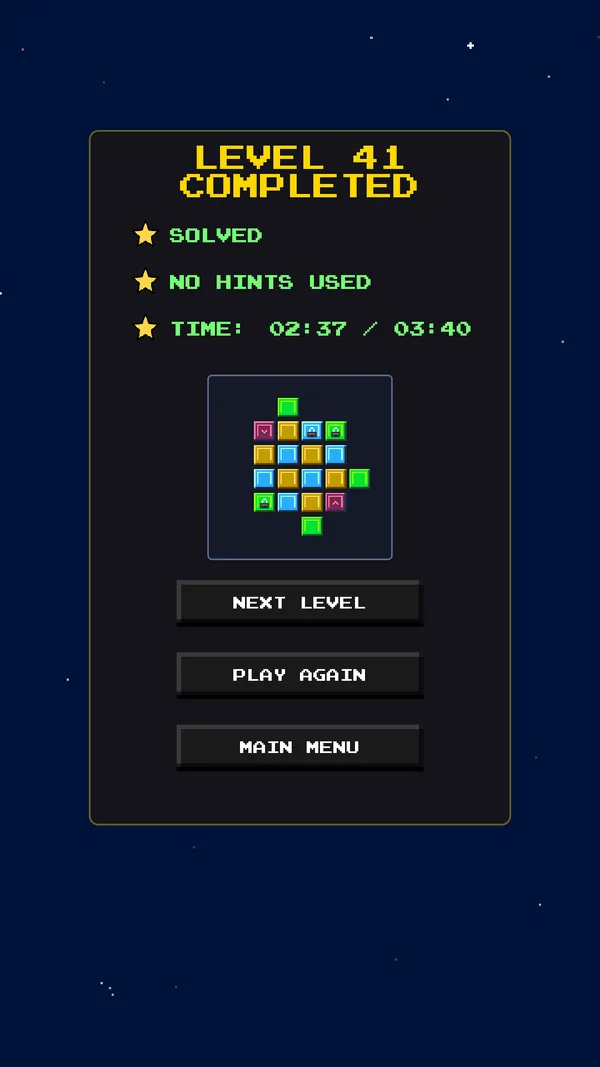
If a placement breaks a rule, the cells involved turn red while you are still on the level. You do not wait until the end to find out. When every cell is filled and nothing is red, the level is solved, and you see how many stars you earned.
Purple tiles are already on the board when a level uses them. You do not cycle an empty cell into purple. Tap a purple tile and it hops along its arrow to the linked cell. If another purple tile is sitting on that destination, the hop is blocked until you move the one that is in the way.
There is a trailer on YouTube if you want to see a board before you play. The guide page has screenshots of the main menu, a puzzle in progress, the tutorial, level select, How to Play, achievements, the pause menu, and the victory screen.
Campaign and tutorial
The first time you press Play, Spaceblox offers a guided tutorial. It teaches one rule at a time on a small board, with a highlighted cell to practise on, and then moves to the next rule. You can replay the tutorial from the main menu whenever you want the rules again in that same order.
After the tutorial, the campaign runs through easy, medium, and hard levels. They unlock as you go. Early boards stay with yellow and blue. Later boards bring in green, then purple hoppers, locks, and links. I have not published a level count, so I will not guess one here. The in-game How to Play button opens the rule guide, with valid and invalid examples, at any time, including in the middle of a level.
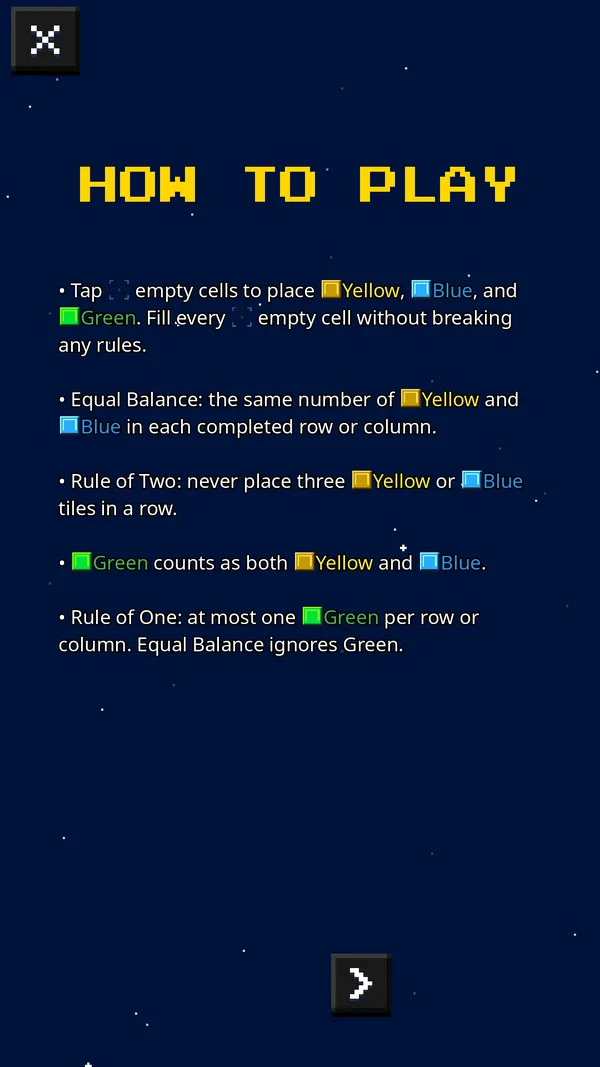
The rules themselves are short. The Rule of Two says you may not place three tiles of the same color next to each other in a row or a column. Two yellows side by side are allowed. A third is not. Equal Balance says a finished row or column must contain the same number of yellow tiles and blue tiles. Green counts as both yellow and blue for the Rule of Two, and as neither for Equal Balance. A line may hold at most one green tile. That is the Rule of One. Purple fills a cell and, like green, does not add to the yellow or blue count. A lock icon means the tile is fixed. = means they must match and × means they must differ. The full walkthrough, with text grids, is on the how to play page.
Hints, undo, and stars
A hint does not fill a cell for you. It reveals a helpful "=" or "×" link on the board, and you still choose the colors. Each campaign level gives you a small number of hints. Harder levels give you more. If you use them up, you can watch an optional ad to receive three more. You never have to. Solving without a hint is one of the star goals, so a hint is a tool you spend, not a step the game forces.
Undo and Redo are not rationed. Hold-to-clear removes one tile. Restart restores the starting clues. Your in-progress level is saved, so closing the game does not throw away the board you were on.
Each campaign level has up to three star goals:
- Solved. Finish a valid board.
- No hints used. Finish without using a hint.
- Time, or hops. Finish within the level's time limit. On boards with purple tiles, this star can instead ask you to use no more than a set number of purple hops.
The clock never ends the level. If you miss the time, that star stays empty and the puzzle stays open. Stars are optional. You can clear a level with one star and come back later for the others. Achievements track milestones, star goals, and a few secret feats, with bronze, silver, and gold tiers, plus hidden ones, on the Achievements screen.
Colorblind mode, screen reader, and languages
Colorblind mode is optional. It adds patterns to the tiles and uses a palette adjusted for better separation, so a color is not the only way to tell tiles apart. Screen-reader labels cover the menus and the game screen. On Android, version 1.1.0 lists TalkBack support together with colorblind mode. The browser version released with that same update has the patterns and the labels too. v1.0, the Play app from 1 September 2026, does not.
The game text is in seven languages: English, Spanish, German, French, Polish, Georgian, and Ukrainian. If a phrase is wrong, the contact page is the place to send the language, the screen, and the corrected text.
Other settings are plain on purpose. You can choose a dynamic or a static space background, and music and sound effects are separate.
v1.0 and the current version, 1.1.0
v1.0, on 1 September 2026, is the campaign. Easy, medium, and hard levels, the tutorial, hints, undo, and the three star goals all shipped then. The color rules did not wait for a later update. Yellow, blue, green, purple hoppers, locks, and "=" / "×" links are the v1.0 puzzle. Seven languages shipped with it. So did on-device saves, and ads that stay between levels.
1.1.0, on 5 October 2026, is the current public version. On Android it adds four things the home page lists: achievements, cloud saves, colorblind mode, and TalkBack support. The same version is the first web release. Play stays first, on Google Play. The browser version is second. It has the campaign. It does not have cloud save. From 1.1.0 on Android you can sign in to Google Play Games if you want a cloud copy of progress, settings, and achievements. In-progress levels are not uploaded. Signing in is never required. The browser save stays in that browser.
The same Android update adds Firebase Analytics and Firebase Crashlytics. Earlier app versions, including v1.0, do not include Firebase. Analytics records events such as a level started, a level completed, or a hint used. Crashlytics sends a crash report. The privacy policy is the full description. None of that changes how a cell is filled.
If you installed the game on 1 September 2026 and you have not updated, you are on v1.0. That copy is Play only. It does not yet have cloud save, colorblind mode, or TalkBack, and it is not the web build. Update to 1.1.0 for those Android additions, or open the browser version that shipped with 1.1.0. The color rules are the same in v1.0 and in 1.1.0.
How it is paced, and how the ads work
I wanted a puzzle you can open for a few minutes or sit with for an evening. There is no energy meter and no game-over countdown. A level does not fail when time runs out. Time only decides an optional star. Every campaign puzzle is built so it can be solved by reasoning. If a board feels like a guess, the red cells are telling you which rule broke, and a hint will add a link instead of skipping the step.
Spaceblox is free. The Android app shows ads with Google AdMob. This website uses Google AdSense. Full-screen ads are held back until you have cleared several levels, and then they appear between levels, not in the middle of a puzzle. An ad that pays out extra hints is always your choice. Where consent is required, Google's certified consent tool asks before analytics or advertising cookies are used on the site. The privacy policy is the full account of what is stored and what is not.
Progress stays on your device unless you choose otherwise. You do not need an account to play. On Android, version 1.1.0 adds optional Google Play Games sign-in. If you sign in, Google stores a cloud copy of your progress, settings, and achievements. In-progress levels are not uploaded. The browser version saves in that browser on that device, and it does not have cloud save. Signing in is never required to play.
If something breaks, or a rule note is unclear, write to me from the contact page. I read every message.